| 24 Mar 2024 |
 aciceri aciceri | 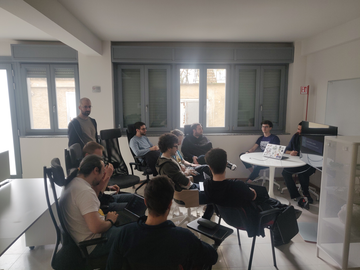
Download IMG_20240323_120610.jpg | 12:52:45 |
| aciceri | 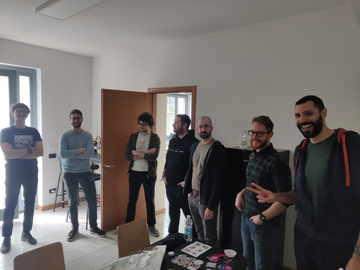
Download IMG_20240323_104334.jpg | 12:52:55 |
| aciceri | 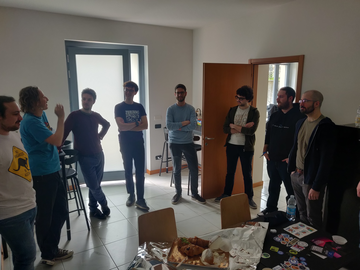
Download IMG_20240323_104331.jpg | 12:53:05 |
| aciceri | 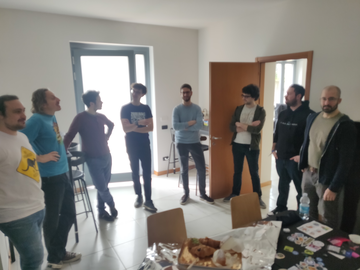
Download IMG_20240323_104329.jpg | 12:53:12 |
 Alessandro Candido Alessandro Candido | Mi spiace davvero non essere potuto venire, spero di riuscire a organizzarmi per la prossima volta!
(assumendo che ci sia ;D) | 14:20:03 |
 albertodvp albertodvp | 
Download IMG_20240323_120734.jpg | 20:39:18 |
| albertodvp | 
Download IMG_20240323_120737.jpg | 20:39:21 |
| albertodvp | In reply to @telegram_98204228:t2bot.io
sent an image. Ciao👋 stavo preparando un post per linkedin per flexare la nostra esistenza, pensavo di condividere la foto che abbiamo fatto alla fine (quella a cui ho fatto reply), c'è qualcuno contrario?
(👍️nessun problema) (👎️evita) | 20:58:26 |
| 27 Mar 2024 |
 David David | vi dicevo che i test possono fare screenshot, ho ritrovato l'esempio che avevo fatto anni fa che pacchettizza una applicazione web in go e invece di usare docker compose usa i test "di nixos" per provare l'applicazione, lancia un browser e fa uno screen | 17:41:34 |
| David | https://gitlab.com/zarel/nix-for-docker-florence-2021/-/tree/main/03%20-%20shipping%20an%20application?ref_type=heads | 17:41:40 |
| David | 100% privo di flake e flake parts | 17:43:29 |
| David | potete fare nix build -f test.nix, aspettare che tiri giù tutte le versioni di due anni fa e poi vedere il risultato in result/app_screenshot_from_test.png | 17:43:06 |
| 28 Mar 2024 |
| aciceri | I NixOS test sono forse la feature piu' sottovalutata secondo me | 08:48:04 |
| 29 Mar 2024 |
| albertodvp | Buondi, ecco l'evento per il prosismo meetup: scusate il poco preavviso
https://www.meetup.com/nix-milano/events/300093218/ | 15:35:08 |
 Alessandro 🤔➖☀️🖌 Alessandro 🤔➖☀️🖌 | grazie. per me no problem per il preavviso: basta che non si sovrapponga mai con open source saturday e nessuno si farà male 😂 | 17:20:57 |
| Alessandro 🤔➖☀️🖌 | ma infatti :D | 17:24:42 |
| Alessandro 🤔➖☀️🖌 | comunque, lo lancio qui come proposta, mi piacerebbe un meetup talk su flake.parts. non so se ne parliamo già in questo #1 | 17:25:20 |
 Alberto Alberto | Che poi è un'esigenza che ho anche io😂 | 17:24:16 |
| Alberto | In reply to Alessandro 🤔➖☀️🖌
grazie. per me no problem per il preavviso: basta che non si sovrapponga mai con open source saturday e nessuno si farà male 😂 Ahahahah ricevuto | 17:23:58 |
| aciceri | In reply to @telegram_98204228:t2bot.io
comunque, lo lancio qui come proposta, mi piacerebbe un meetup talk su flake.parts. non so se ne parliamo già in questo #1 Io volevo parlare degli nix(os) usato in ambito devops ma se dici così mi fai dubitare di aver scelto bene | 20:36:22 |
| aciceri | Anche se forse ci starebbe di più un talk su cosa é il module system e mettere in appendice flake-parts | 20:37:16 |
| Alessandro 🤔➖☀️🖌 | Anzi, tra le due preferisco quella, è più "esperienziale" e di metodo rispetto a flake parts. In generale, gli aspetti di composizionalità in nix(os) però sono molto rilevanti: overlay, override, moduli, flake parts e magari altro. Penso si meritino una discussione dedicata, tutto qui 😊 | 23:33:21 |
| Alessandro 🤔➖☀️🖌 | No no no tranquillo che son felicissimo di sentire nixos per devops! | 23:30:49 |
| 2 Apr 2024 |
 brokenpip3 brokenpip3 | ho fatto richiesta per l'incontro del 17 a milano :) | 09:42:44 |
| albertodvp | In reply to @brokenpip3:matrix.org
ho fatto richiesta per l'incontro del 17 a milano :) Aggiunto, ora dovresti riuscire a fare "partecipa" all'evento | 09:43:49 |
| albertodvp | ah top sei dentro 💪 | 09:44:17 |
| brokenpip3 | :) | 09:44:21 |
| brokenpip3 | purtroppo dovrò andare via prima perchè ho il treno alle 20:40 | 10:27:18 |
| albertodvp | Ah btw, per il prossimo meetup, l'azienda che ci ospita (Prima) è un po' pignola sulle registrazioni: in particolare per entrare controlleranno la lista su meetup.com e richiedono che le persone siano registrare con Nome e Cognome | 22:01:20 |
| 3 Apr 2024 |
| brokenpip3 | il mio è visibile nel mio profilo github, non basta? non amo spammare il mio nome ovunque, non ho social anche per questo motivo. Se vuoi te lo invio per PM | 08:25:36 |
